
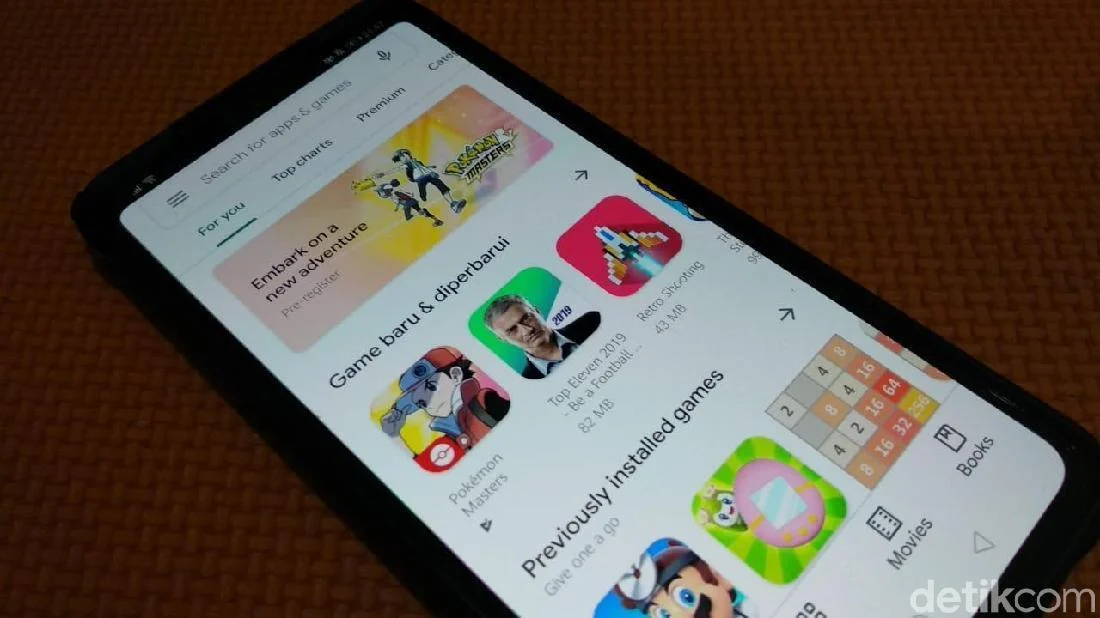
An Android expert has cautioned users against several widely popular applications, some boasting hundreds of millions of downloads, asserting that their popularity metrics do not equate to reliability or safety. Pankil Shah, a distinguished Hardware Engineer at Cisco Systems, highlights a critical disconnect between an app’s perceived success based on download figures and its actual suitability for user privacy and security. His analysis, first reported by Android Authority on Friday, July 17, 2026, challenges the common assumption that high download counts signify a trustworthy or beneficial application.
Shah’s observations stem from a deep understanding of mobile operating systems and cybersecurity vulnerabilities. He emphasizes that while not all popular applications are inherently flawed, a significant number of them, including certain VPNs, antivirus software, caller ID apps, and even password managers, pose considerable risks or offer redundant functionality already provided by the Android operating system itself. "There are many applications I would advise most people to avoid, either due to privacy and security concerns or because they attempt to solve problems that Android already handles perfectly well," Shah stated, underscoring a growing concern within the cybersecurity community about the opaque practices of some app developers.
The proliferation of mobile applications has fundamentally reshaped how individuals interact with technology and manage their digital lives. With billions of apps available across various platforms, users often rely on superficial metrics like download numbers, star ratings, or trending lists to inform their choices. However, this approach can inadvertently expose them to data exploitation, security breaches, and unnecessary resource drain. Shah’s recommendations serve as a crucial reminder for users to exercise greater scrutiny and prioritize inherent security and privacy features over perceived convenience or fleeting popularity. This expert guidance comes at a time when data privacy is a paramount concern, with regulatory bodies worldwide enacting stricter data protection laws, and cyber threats becoming increasingly sophisticated. The ongoing evolution of Android itself, with Google consistently enhancing its native security and privacy safeguards, further complicates the landscape for third-party developers, making many external solutions redundant.
The Misleading Allure of App Popularity
The digital marketplace for applications is a bustling ecosystem where millions of products compete for user attention. For many users, an app’s download count is often interpreted as a proxy for quality, reliability, or even safety. An application with hundreds of millions of downloads naturally appears more credible than one with only a few thousand. However, Pankil Shah’s insights reveal the fallacy of this assumption. High download figures can sometimes be a byproduct of aggressive marketing, pre-installation deals, or even deceptive practices, rather than a genuine reflection of an app’s utility or adherence to best security practices.
In the "free app" economy, developers often monetize their offerings through various indirect means, including advertising, in-app purchases, or, more controversiously, by collecting and selling user data. This latter practice is particularly prevalent among apps that promise essential services for "free," such as VPNs or system cleaners. When users are not paying for a service, they often become the product, with their personal information, browsing habits, and device data becoming valuable commodities. Shah’s caution serves as an important educational piece, guiding users to look beyond the immediate appeal and delve into the underlying mechanisms and potential trade-offs of the applications they install. The increasing sophistication of Android’s native features also means that many third-party apps, once necessary, now offer little more than redundant functionality, often at the cost of performance or privacy.
Deconstructing the Unrecommended List: A Detailed Analysis
Pankil Shah identified five specific applications that, despite their significant user bases, fall short of expert recommendations. Each app presents unique challenges, ranging from egregious privacy violations to offering unnecessary features already integrated into the Android operating system.
1. Turbo VPN: The Peril of "Free" Privacy
Background: Virtual Private Networks (VPNs) have exploded in popularity as tools for enhancing online privacy, bypassing geo-restrictions, and securing internet connections, particularly on public Wi-Fi. The market is saturated with options, many of which are offered for free, appealing to a broad user base unwilling to pay for such a service. Turbo VPN is one such free offering that has garnered millions of downloads due to its accessibility.
Shah’s Concern: Shah explicitly warns against Turbo VPN, citing its "unclean track record" characterized by reports of questionable data practices and alleged ties to Chinese entities. This concern is not isolated to Turbo VPN but extends to a significant portion of the free VPN landscape. Shah explains the fundamental economic challenge: "Running a VPN service is not cheap, so if you’re not paying for it, the company is making its profit elsewhere." This "elsewhere" often involves monetizing user data, which directly contradicts the primary purpose of a VPN—to enhance privacy.
Supporting Data and Analysis: The global VPN market has seen exponential growth, driven by increasing awareness of online surveillance and cyber threats. However, numerous investigations and reports have highlighted the risks associated with free VPNs. These risks include logging user activities, injecting ads, redirecting traffic, or even containing malware. Some free VPN providers have been accused of selling user bandwidth, leading to compromised security and privacy for their users. The inherent irony is that a tool designed to protect privacy can become its biggest threat if the provider’s business model relies on data exploitation. Users, often seeking to protect their digital footprint, inadvertently hand over their most sensitive information to entities with opaque data policies.
Implications: Using a compromised VPN like Turbo VPN can expose users to various risks, including data breaches, surveillance by third parties, targeted advertising, and even legal complications in jurisdictions with strict internet censorship. Shah advises users seeking a cost-free VPN to opt for providers with a proven, solid track record and transparent policies, such as Proton VPN, which is known for its strong privacy stance, open-source code, and base in Switzerland, a country with robust data protection laws. This recommendation underscores the importance of choosing a VPN based on trust and verifiable security practices, rather than just cost or popularity.
2. LastPass: A Password Manager’s Breach of Trust
Background: Password managers are essential tools in the modern digital age, helping users create, store, and manage unique, complex passwords for numerous online accounts. Given the increasing frequency of data breaches and the critical importance of strong authentication, a reliable password manager is a cornerstone of personal cybersecurity. LastPass has historically been a prominent name in this sector, widely recommended by security experts.
Shah’s Concern: Despite its previous reputation, Shah no longer trusts LastPass, primarily due to a series of significant security incidents, with the 2022 breach being particularly severe. "The biggest issue with LastPass is its security track record," Shah stated. He elaborated that in the 2022 incident, attackers not only managed to steal customer data but also gained access to LastPass’s core security architecture, a breach of profound concern for a company entrusted with safeguarding users’ most sensitive credentials.
Timeline and Supporting Data: The 2022 LastPass breach was not an isolated event, as Shah noted. While specific details of earlier incidents are often complex, the 2022 breach was a critical turning point. Attackers initially gained access to a developer’s corporate laptop, leading to the theft of source code and technical information. This initial breach was then leveraged months later to access customer vault data, including encrypted passwords, encrypted notes, and other sensitive information. While LastPass maintained that customer master passwords were not compromised and data remained encrypted, the incident severely eroded user trust. The company faced widespread criticism for its communication strategy and the extent of the breach’s impact. Such incidents highlight the paramount importance of a password manager’s security posture, as a single compromise can have cascading effects across a user’s entire digital life.
Analysis and Implications: The erosion of trust in a password manager is catastrophic, as its entire value proposition rests on its ability to securely protect sensitive information. While no system is entirely immune to sophisticated attacks, a history of repeated breaches, especially one involving access to core security architecture, is a red flag. The implications for users include the potential for identity theft, financial fraud, and compromise of numerous online accounts if their encrypted vaults were eventually decrypted. Shah recommends migrating to alternatives like Bitwarden, which he personally uses. Bitwarden is praised for being open-source, offering transparency through community scrutiny, and being affordably priced at around $20 per year. This recommendation underscores the value of open-source solutions in security-critical applications, where transparency can build greater trust.
3. Truecaller: The Cost of Caller ID Convenience
Background: Spam calls, telemarketing, and unknown numbers are a pervasive annoyance for smartphone users globally. Truecaller emerged as a popular solution, promising to identify unknown callers, block spam, and filter unwanted communications. Its utility led to its widespread adoption, boasting over a billion downloads on the Play Store alone, with availability across both Android and iOS platforms.
Shah’s Concern: Shah’s primary reservation about Truecaller revolves around its extensive and intrusive permission requests. "My biggest issue with Truecaller is the sheer number of app permissions it asks for," he explained. Beyond contacts, the app requests access to call logs, messages, location data, files, photos, videos, and audio. While some permissions might be optional, the sheer volume of requests from the outset raises significant privacy concerns.
Supporting Data and Analysis: Truecaller’s effectiveness relies on building a vast, crowd-sourced database of phone numbers and associated identities. This database is populated by information "donated" by its users—often inadvertently through granting broad permissions. When a user installs Truecaller and grants access to their contacts, the app uploads those contacts to its central database, making them searchable by other Truecaller users. While this mechanism powers its caller ID functionality, it raises serious questions about consent, data ownership, and the potential for privacy breaches. Many users are unaware that by using Truecaller, they are potentially sharing their entire contact list with a third-party service, including numbers and names of individuals who never consented to be part of such a database.
Implications: The extensive data collection by Truecaller has profound privacy implications. It can lead to the exposure of personal contact information, potential misuse of contact lists for marketing or other purposes, and a general erosion of data privacy for both the user and their contacts. Crucially, Shah points out that while Truecaller filled a significant gap years ago, modern Android versions have vastly improved their native capabilities for handling spam calls and messages. Google’s Phone app, for example, offers robust call screening and spam identification features that work effectively without requiring such extensive access to personal data, providing a safer and more privacy-conscious alternative.
4. CCleaner: Obsolete Solutions for Modern Android
Background: System cleaning utilities like CCleaner gained prominence in the desktop computing world, particularly for older Windows versions, where they helped remove temporary files, optimize registries, and improve performance. This perception of needing a "cleaner" carried over to the mobile sphere, leading to the popularity of apps like CCleaner on Android, which claim to delete junk files, free up storage, and identify resource-intensive applications.
Shah’s Concern: Shah argues that modern Android smartphones no longer require separate applications like CCleaner for most of these tasks. He highlights the redundancy of such apps given the advancements in Android’s native operating system.
Supporting Data and Analysis: Android has evolved significantly in terms of memory management, storage optimization, and performance. Modern Android devices are designed with sophisticated internal mechanisms to manage app caches, background processes, and temporary files efficiently. These systems often work better when left undisturbed by third-party "cleaners," which can sometimes be counterproductive, leading to unnecessary re-creation of cache files and potentially consuming more battery in the process.
Google itself has introduced robust native tools that render CCleaner largely obsolete. For instance, the Android settings menu provides detailed insights into battery usage and mobile data consumption by individual apps, allowing users to identify and manage resource-hungry applications. More importantly, Google’s built-in "Files by Google" app includes a dedicated "Clean" tab. This feature intelligently identifies and suggests the removal of junk files, duplicate photos, old screenshots, and unused applications, all without requiring intrusive permissions or charging a fee. This native solution is fully integrated, free, and designed to work harmoniously with Android’s core architecture, making external cleaners redundant and potentially harmful.
Implications: Using CCleaner and similar apps can lead to wasted storage space, unnecessary battery drain, and a false sense of security regarding device performance. Furthermore, some less reputable "cleaner" apps can come bundled with adware or even malware, further compromising user privacy and device security. Shah’s advice emphasizes that relying on Android’s built-in features is a safer, more efficient, and often free approach to managing device storage and performance.
5. AVG Antivirus & Security: Duplicating Android’s Native Defenses
Background: Antivirus software has long been considered essential for desktop computers, protecting against malware, viruses, and other cyber threats. This ingrained habit often leads users to seek similar solutions for their Android smartphones, resulting in the popularity of apps like AVG AntiVirus & Security. These apps typically offer a suite of features including malware protection, privacy tools, app locking, Wi-Fi security checks, and performance optimization.
Shah’s Concern: Similar to CCleaner, Shah argues that most of the features offered by AVG and other Android antivirus apps are largely unnecessary on modern Android devices. He points out that Android is already equipped with numerous powerful and effective security features, many of which are enabled by default.
Supporting Data and Analysis: Android’s security architecture is fundamentally different from traditional desktop operating systems, making a direct translation of desktop antivirus needs largely irrelevant. Key built-in security features include:
- Google Play Protect: This service continuously scans every app on a user’s phone, including those installed manually, for malicious behavior. If suspicious activity is detected, Play Protect can warn the user and even automatically remove the offending application. It acts as a robust, always-on malware scanner.
- App Sandboxing: Android isolates apps from each other and from the core system, preventing a malicious app from directly interfering with other apps or critical system functions.
- Permission Model: Android’s granular permission system requires apps to explicitly request access to sensitive data or device functions, giving users control over what information an app can access.
- Android Safe Browsing: This feature scans links in real-time for malicious content, protecting users from phishing scams and drive-by downloads.
These integrated features provide a comprehensive security framework that is constantly updated by Google. Third-party antivirus apps often duplicate these existing functionalities, consume valuable system resources (battery, RAM, storage), and can even introduce their own privacy risks by requesting broad permissions to perform their redundant scans.
Implications: Relying on third-party antivirus apps on Android can lead to unnecessary resource consumption, a false sense of security, and the financial cost of premium subscriptions for features already provided for free by the operating system. Shah’s concluding advice is clear: "In some ways, AVG and most other Android antivirus apps are just duplicating features that already exist – and, worse, charging you for them. The reality is, as long as you stick to the Play Store for apps and don’t do silly things, like disabling Android’s built-in security features, you generally don’t have to worry about your phone getting infected." This statement underscores the importance of basic cyber hygiene and trusting the robust security measures built directly into the Android platform.
Broader Implications and User Empowerment
Pankil Shah’s expert recommendations highlight a crucial need for greater user awareness and critical thinking in the app marketplace. The tendency to equate popularity with trustworthiness is a significant vulnerability that developers of problematic apps often exploit. As digital lives become increasingly intertwined with mobile devices, the choices users make about which applications to install have profound implications for their privacy, security, and device performance.
Key Takeaways for Users:
- Beyond Download Counts: Users should look beyond superficial metrics like download numbers and star ratings. These can be manipulated or simply reflect a legacy of popularity rather than current relevance or safety.
- Scrutinize Permissions: Always review the permissions an app requests. If an app demands excessive permissions unrelated to its core functionality (e.g., a flashlight app requesting access to contacts or location), it should be a red flag.
- Leverage Native Features: Modern Android versions offer robust, built-in solutions for security, performance optimization, and spam management. Users should explore and utilize these native features before resorting to third-party apps that may be redundant or intrusive.
- Understand Business Models: For "free" apps, users should question how the service is sustained. If there are no ads or in-app purchases, data monetization is a strong possibility.
- Choose Reputable Developers and Open-Source Alternatives: Opt for apps from well-known, trusted developers or consider open-source alternatives, which often offer greater transparency and community scrutiny of their code and practices.
- Stay Informed: Keep abreast of security news and expert recommendations to make informed decisions about app choices.
The ongoing challenge for platform providers like Google is to effectively police their app stores to filter out problematic applications, despite their considerable efforts with initiatives like Google Play Protect. Ultimately, the first line of defense rests with the informed user. Shah’s insights empower users to make more discerning choices, moving away from passive acceptance of popular apps towards an active and critical evaluation of their digital tools. This shift is vital for fostering a safer and more private mobile experience in an increasingly complex digital world.

